Your Mac,
in the palm of your hand.
Pipa brings your Mac's screen to your iPhone and iPad, fast and sharp. Tap to click, drag, scroll, type. The connection goes straight between your devices, encrypted, with no account and no cloud.
iPhone and iPad with iOS 16 or later · Mac with macOS 13 or later
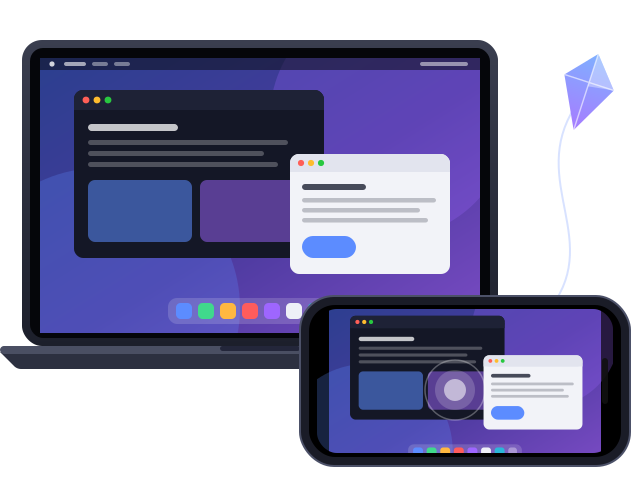
Everything you do on your Mac, from anywhere.
Made for everyday life: the file you left on your Mac, the app that only runs there, a quick look at what's going on while you're on the couch.
Touch or trackpad
Tap where you want to click, scroll with two fingers and pinch to zoom. Prefer a trackpad? Switch with one tap, with the Mac's three-finger gestures.
A real keyboard
Mac shortcuts (⌘C, ⌘V, ⌘Tab…), dictation and, on iPad, a hardware keyboard and mouse that work just like on the Mac.
Pair with a QR code
Your Mac shows a QR code, your iPhone scans it, done. The key lives in the Secure Enclave, and your Mac only accepts the devices you approved.
Direct and encrypted
Screen, sound, keyboard and mouse travel between your iPhone and your Mac over TLS 1.3, with no server in between and no data collection.
Built for real-world Wi-Fi
Packet recovery, rate control and automatic reconnection keep the session steady even when the signal wobbles.
And more
Multiple displays, your Mac's sound on your iPhone, a shared clipboard both ways, files into a Mac folder, and waking your Mac over the network.
Ready in a minute.
No account, no sign-up and no router settings.
Install Pipa Host on your Mac
Download the free app, drag it to Applications and grant Screen Recording and Accessibility. The kite icon shows up in the menu bar.
Scan the QR code
In the Pipa Host menu, start pairing by QR code. In Pipa, tap + › Scan Mac's QR Code and check the Mac's name.
Tap and go
Your Mac shows up under Your Macs. One tap connects, on the same Wi-Fi or away from home with Tailscale.
Privacy, for real
- No account and no login.
- No ads, analytics or tracking.
- Nothing goes through us: your screen goes straight to your device.
- Revoke a lost iPhone on your Mac and it's cut off at once.
Away from home
- On your home network, your iPhone finds your Mac by itself.
- With Tailscale on your Mac and iPhone, the same pairing works from anywhere.
- Your Mac stays awake while you're connected, and you can wake it over the network.
Get started
Install Pipa Host on your Mac (free) and Pipa on your iPhone or iPad.